
See Any Splashback in Your Kitchen Before You Buy
Not sure how a splashback will look in your kitchen? Our free AR visualiser lets you point your phone camera at your actual kitchen wall and see any of our designs overlaid in real time. No app to download, no guesswork — just open a product page on your phone and tap the button.

How It Works
The AR visualiser is built directly into our product pages — there's nothing to download or set up. Here's all you need to do:
- Browse any of our printed or design splashback pages on your phone
- Tap the "View in Your Kitchen" button on the product page
- Allow camera access when prompted — your camera stays on your device at all times
- Point your phone at the wall where your splashback will go
- Drag the overlay to position it exactly where you want it
- Pinch or use the resize buttons to match your actual wall dimensions
- Scroll through other designs using the carousel without closing the camera
- Screenshot and save or share with a partner, kitchen fitter or interior designer
What Can You Do in the Visualiser?
Once you've opened the AR visualiser you can drag the splashback overlay to position it exactly where it will be fitted. Pinch to resize it to match your actual wall dimensions. Switch between different designs using the on-screen carousel — so you can compare multiple options against your real kitchen in seconds without having to navigate away. When you find a design you love, use the screenshot button to capture the image, then share it directly to Facebook or save it to your camera roll.
Works on Any Modern Smartphone
The visualiser runs entirely in your phone's browser — there is nothing to download or install. It works on iPhone and Android, on Chrome and Safari. Simply open the product page on your phone, tap the "View in Your Kitchen" button and allow camera access. That's it.
No App Needed
Works in your phone's browser. No downloads, no accounts.
Hundreds of Designs
Scroll through designs in the visualiser without closing the camera.
Resize to Fit
Drag and pinch to match the overlay to your exact wall space.
Screenshot & Share
Save and share with a partner or kitchen fitter before you order.
Try It Now — Popular Designs
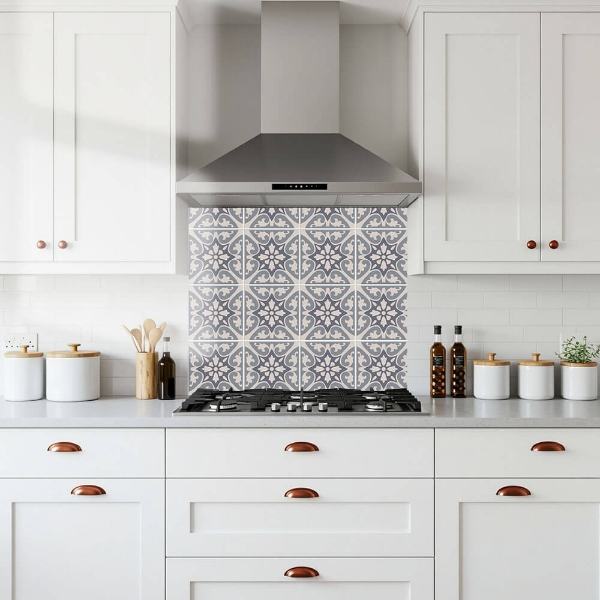
The AR visualiser is available on all of our printed and design splashback ranges. Here are some of our most popular designs to get started with:
Frequently Asked Questions
Does it work on desktop?
The AR visualiser requires a camera so it works best on a smartphone or tablet. On desktop you can still browse and compare designs but the live camera overlay feature needs a mobile device.
Do I need to download an app?
No — it runs entirely in your phone's browser. Just open the product page, tap the "View in Your Kitchen" button and allow camera access. Nothing to install.
Which splashbacks have the AR visualiser?
The visualiser is available on all of our printed and design splashback ranges — that's hundreds of designs. Look for the "View in Your Kitchen" button on any product page.
Can I see how the size will look?
Yes — you can drag and resize the overlay to match the dimensions of your actual wall space. While it is not an exact measurement tool, it gives you a very accurate visual impression of how a splashback of that size and design will look in your kitchen.
Is my camera footage recorded or stored?
No — your camera feed is used only to display the live overlay on your screen. Nothing is recorded, uploaded or stored. The visualiser runs entirely in your browser.
Can I share what I see with someone else?
Yes — use the screenshot button in the visualiser to capture the image, then share directly to Facebook or save to your phone to send to a partner, kitchen fitter or interior designer.
Still not sure? Order a sample first.
The AR visualiser gives you a great impression but if you want to check the exact print quality or colour before committing, we offer physical glass samples for just £15.
Order a Sample — £15Also Try Our Colour Matcher
Upload a photo of your kitchen and click any surface to instantly find your perfect matching splashback colour from over 500 options.
Try the Colour Matcher →